Recording a score for a class workout
From the class detail screen each programmed workout has it's own "Add Score" button, click the "Add Score" button for the relevant workout.
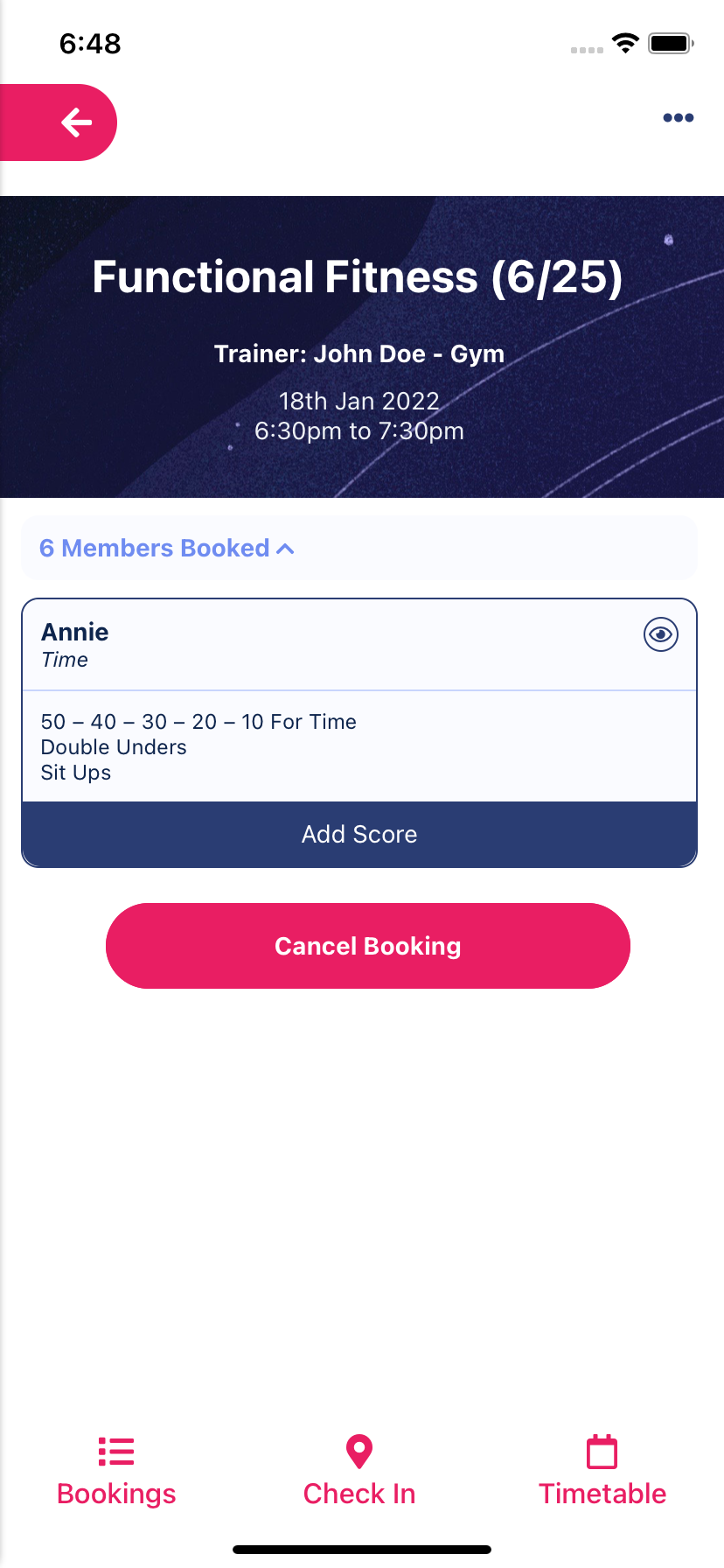
Screenshot - Class detail screen with workout
Once a workout is selected enter values into the relevant fields and click "Save Score"
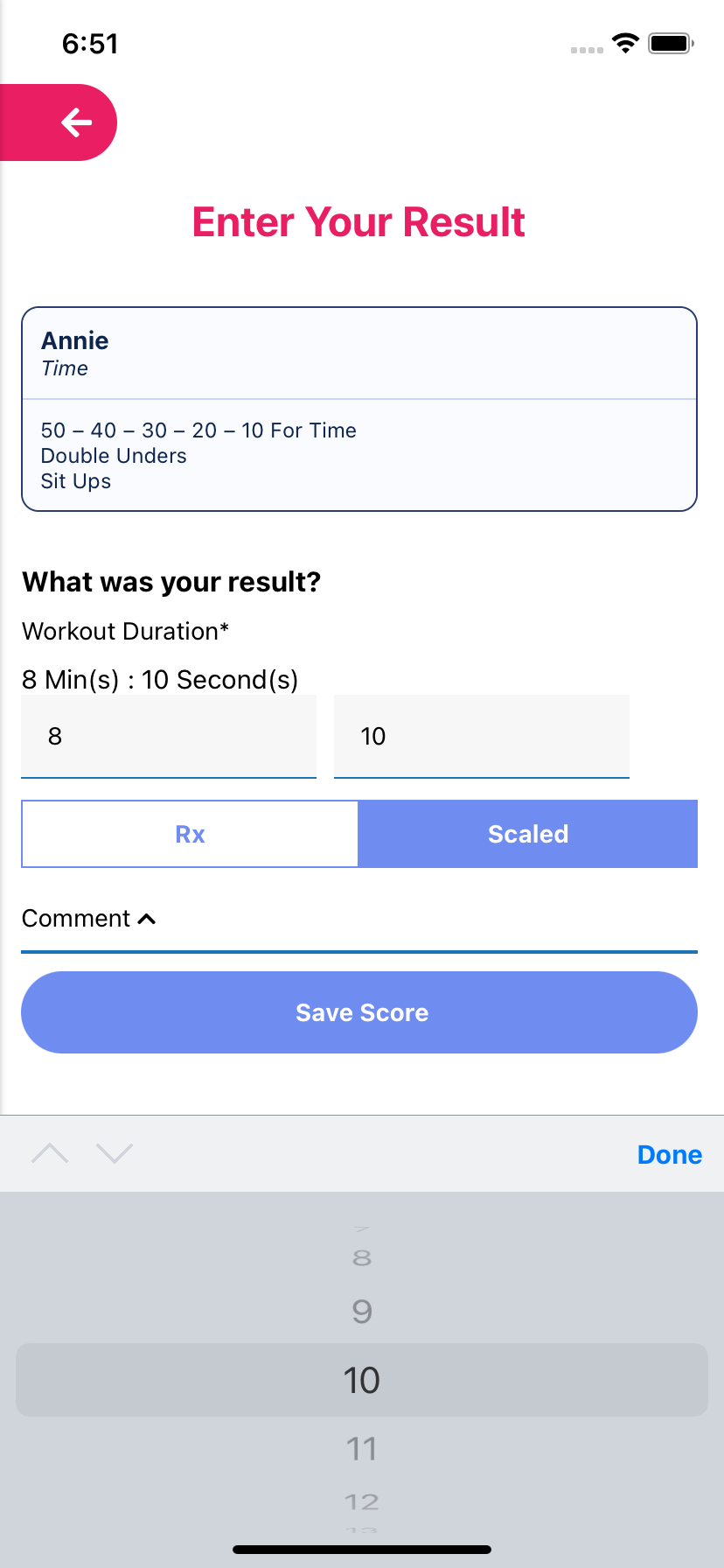
Screenshot - Enter Your Result screen
Updating a score for a class workout
From the class detail screen each programmed workout has it's own "Update Score" button, click the "Update Score" button for the relevant workout.
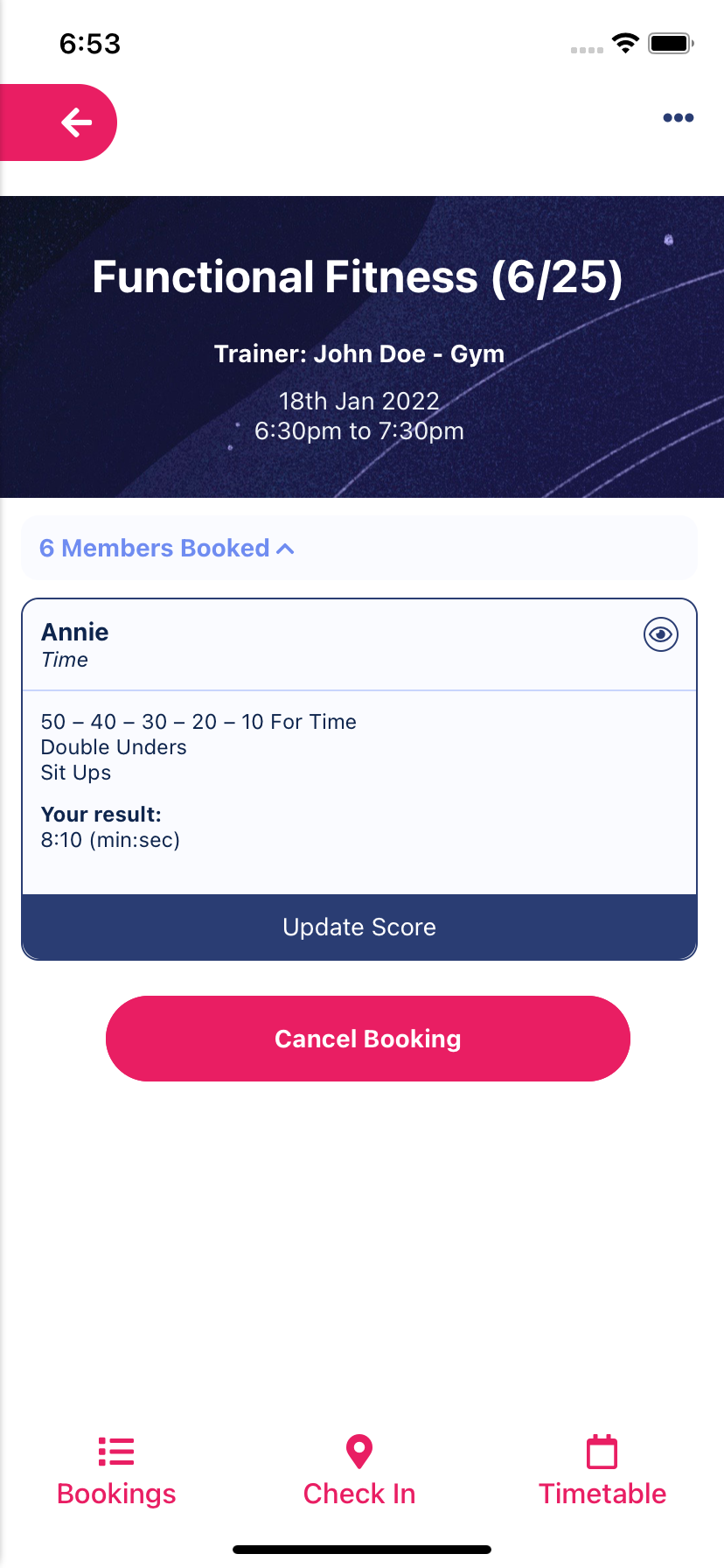
Screenshot - Class detail screen with workout
Once a workout is selected update values in the relevant fields and click "Save Score"
Screenshot - Enter Your Result screen